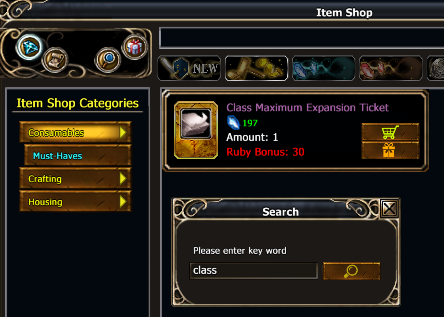

You need to reach level 20 on your main and sub class:
Posts by int
-
-
Welcome to Arcadia Ferrugio!
I see that you got already some feedback regarding your initial question from our community.As you played this game before, you may want to know what's different on Arcadia.
You can find more information about that on our features page & in patchnotes:
-
As this isn't thread about classes balancing, recent posts has been moved to Classes balance / rework
-
Dear citizens of Paradise,
02.06 at 04:30 CEST Paradise will be shut down for technical maintenance.
# 05:00 - Maintenance completed
-
It's working a bit different.
The ratio is same as default, but you need 10x less TP to level up your skills.
-
-
You can return to TH by talking to Hajikar Mashes in Obsidian Stronghold.
To see this option you need to first complete a few quests starting from Mysterious Torrog.
-
Backup of current settings:
1. download http://download.chroniclesofarcadia.com/apps/backup.bat
2. move it to My Documents
3. start it, and it will create backup in COABackup directory with timestamp
It's even possible to make it automatically with task scheduler.
Freezing current settings:
1. set everything what you need about addons
2. close your game clients
3. go to properties of "Chronicles of Arcadia" directory in "My Documents" and mark this directory as "read-only", including files and sub-directories

-
Dear citizens of Paradise,
14.05 at 10:25 CEST Paradise will be shut down for server maintenance.
# 11:07 Maintenance completed - Patch 10.2.0.1005
-
Dear citizens of Paradise,
09.05 at 13:15 CEST Paradise will be shut down for short technical maintenance.
# 13:28 Maintenance complete
-
Dear citizens of Paradise,
22.04 at 14:00 CEST Paradise will be shut down for short maintenance.
# 14:10 Maintenance completed
-
Arcadia is more populated than any other server of this game.
The past days we are reaching records of online players.
It's cleary visible in chat activity & amount of items listed on AH.
The best way to get touch with other players is to ask about help / group on world chat.
I would suggest you to find a guild, so you can get help with your adventures on Arcadia.
If you played this game before, you should definitly check section for returning players:
https://chroniclesofarcadia.com/game-features/#for-returning-players
-
You can check our Legal Documentation to know what you can do and what not:
https://playernetgames.net/legals
To get more details about addon, please contact addon developer directly.
-
Some of details you can find here:
https://www.curseforge.com/chr…a/addons/arcadiautilities
You may also contact addon developers directly via curse or in game.
-
So it happend after windows update, not the game one?
Could you please show a screenshot of:
1. client.exe properties with visible version
2. update.inf properties with visible file size
-
You can try to decrease UI scale, to be able to see it.
Another solution you may try:
1. close game client
2. remove addon
3. start game client
4. close game client
5. add addon again
It should reset it's settings.
-
This is probably caused by Lootmatic or LootIt addon.
If it's one of them you can:
1. change setting in game; or
2. close game, take out addon, start and close game, add addon again
It could be also ArcadiaUtilities, if so you should contact his author and ask how to prevent it.
-
It seems like some of our players can't connect to the game.
We checked it on our side, and performed a restart but it didn't helped.
For now we are analyzing this problem with our datacenter.
# 19:30 This issue should be solved now.
Our Anti-DDoS filter has been automatically triggered what caused some players not being able to connect.
-
The windmill is working correctly.
Hodu has been killed 5 times today already.
Please take a look into Windmill guide: https://runesofmagic.gamepedia.com/Windmill
-
That sound like good idea, so we will be looking on possible solutions to improve mail management.
-
We will be looking into possible solutions for that.
Thank you for your report.
If there will be any update, about this problem i'll reply in this thread.
-
I can ensure you that this installer is working correctly, as long as there is no network issue during download, or drive issue when saving the file.
Please take a look on following video.
If there would be any problem, no player could install the game.
Please, try also RAR version mentioned in my previous post, if you can't get it working.
On our side we will be working on additional downloading ways in future.
In case of any further issues, please write a ticket to our support: https://playernetgames.net/support/
-
It seems that for some reason your PC is having issues veryfing certificate which was used to sign our installer.
https://knowledge.digicert.com/solution/SO29288.html
You may download client version compressed with WinRar:
http://download.chroniclesofarcadia.com/client/10127002.rar
I suggest to use download manager as well.
-
Please try following steps:
1. make sure that you are logged into Administrator account (as i see you start it from /users/ location)
2. move all files into directory located on your desktop
3. download Arcad1.cab file from mirror source, with usage of some download manager
4. you can check MD5 of the file to be sure that it's downloaded correctly (move file on the MD5 Checksum Tool window), it should be 067E66B8EC7D7F87455981317A043F87
-
This is intended at the current state.
After consulting it with our Team we don't plan a changes for that.
We don't want players to get that strong buffs at the same time.
Allowing to get another one for Zodiac & Draco would make it possible.
Currently it's only possible to change the buff with usage of reset scroll.