Hello,
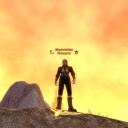
When I click on Target Icon in the group menu, the icon names/numbers appear incorrectly, as shown in the screenshot. The text is displayed as <Cfff...> formatting codes, and the numbers/text seem to overlap or appear corrupted.
Instead of showing proper icon names, the interface displays raw formatting codes, which looks like a UI/text rendering issue.
Could you please check whether this is a UI/localization bug?
Thanks.